Get the BC.Game app on your Android or iOS device and take the full casino and sportsbook experience with you. The download takes under a minute, and you'll have instant access to thousands of games, live betting, and crypto deposits right from your phone.
| Platform | Android, iOS, Mobile Web |
| App Size | ~50 MB |
| Version | Latest 2026 |
| Requirements | Android 5.0+ / iOS 12+ |
| License | Anjouan |
| Promo Code | NEWBONUS |
The BC.Game app brings everything from the desktop platform straight to your pocket. Whether you're into casino slots, live dealer tables, sports betting, or BC Originals, the app handles it all without compromises. It runs smoothly on most modern phones, and since the APK weighs in at roughly 50 MB, it won't eat up your storage. If you're signing up for the first time, use the promo code NEWBONUS during registration to unlock the full welcome bonus package.
The BC.Game APK isn't listed on Google Play, so you'll need to grab it directly from the official website. This is completely normal for real-money gaming apps -- Google's store policies restrict them, but the APK itself is safe and verified. Here's how to get it installed in four quick steps.
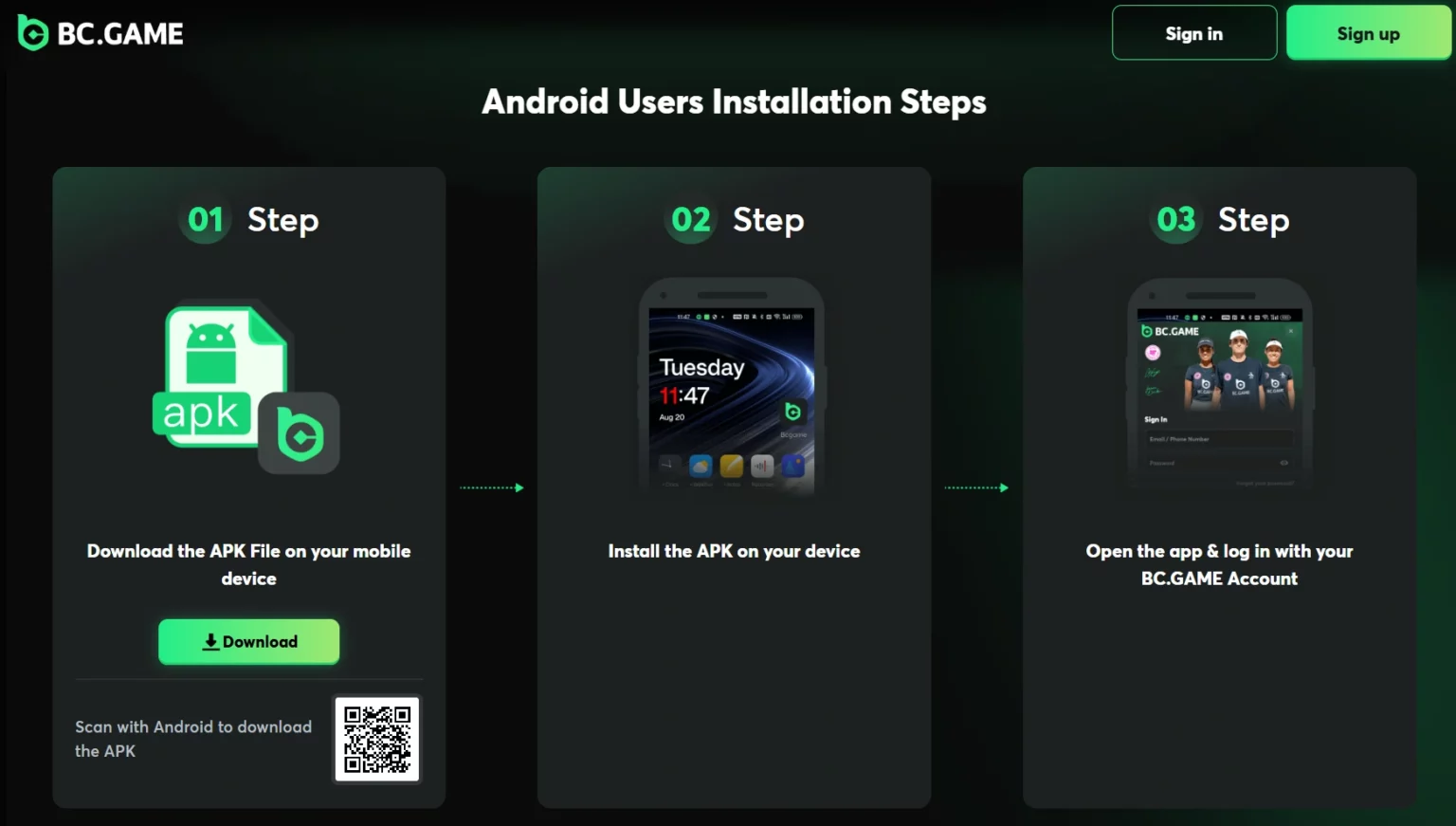
Open bc-game-asia.com in your phone's browser (Chrome, Samsung Internet, or whatever you normally use). Make sure you're on the real site and not a lookalike -- check the URL carefully. If the main domain is blocked in your area, head to our mirror sites page for verified alternative links.
Before the download APK file can install, your phone needs permission to accept apps from outside the Play Store. Go to Settings > Security (or Apps & Notifications on newer Android versions) and toggle on "Install from unknown sources" for your browser. You can turn this off again after installation if you prefer.
Tap the download button on the BC.Game website to start pulling the APK file. It's around 50 MB, so on a decent connection it should finish in under a minute. Your browser might show a warning about downloading an APK -- that's a standard Android prompt, just confirm you want to keep the file.
Once the download finishes, tap the notification or find the APK in your Downloads folder and open it. Hit "Install," wait a few seconds, and the BC.Game app will appear on your home screen. Launch it, log in or register with code NEWBONUS, and you're all set.
Apple doesn't allow real-money gambling apps to be listed freely on the App Store in most regions, so the BC.Game iOS experience works a bit differently. Instead of a traditional app download, you can add BC.Game to your iPhone or iPad as a Progressive Web App (PWA) through Safari. It looks and feels like a native app -- you get a home screen icon, full-screen mode, and push notifications -- without needing to go through the App Store at all.
To set it up, open bc-game-asia.com in Safari, tap the Share button (the square with an arrow), scroll down and select "Add to Home Screen," then confirm the name. That's it. The BC.Game icon will sit alongside your other apps, and tapping it opens the platform in its own window with no browser bars cluttering the screen. Every feature works exactly as it does on desktop: casino games, sports markets, deposits, withdrawals, and account settings are all fully accessible.
Not everyone wants to install an app, and that's perfectly fine. You can play BC.Game online directly in any modern browser on your phone, tablet, or computer. The mobile website is fully responsive and adapts to whatever screen you're using, so nothing is cut off or awkwardly resized.
Playing through the browser means there's nothing to download, no storage used, and no updates to manage. You simply open the site, log in, and everything is right there -- the same game library, the same sportsbook, the same promotions. For players who switch between multiple devices or just don't like cluttering their phone with extra apps, the browser route is the most practical option. Performance is comparable to the native app on any reasonably recent device.
The BC.Game app isn't a stripped-down version of the desktop site. It packs in the full platform, and a few things actually work better on mobile thanks to the touch-friendly interface. Here's what you get once you download and install it: